Looking for design for manufacturability CNC machining guidance? You are in the right place. This guide answers the key questions for engineers.
Why DFM Matters, design for manufacturability CNC machining
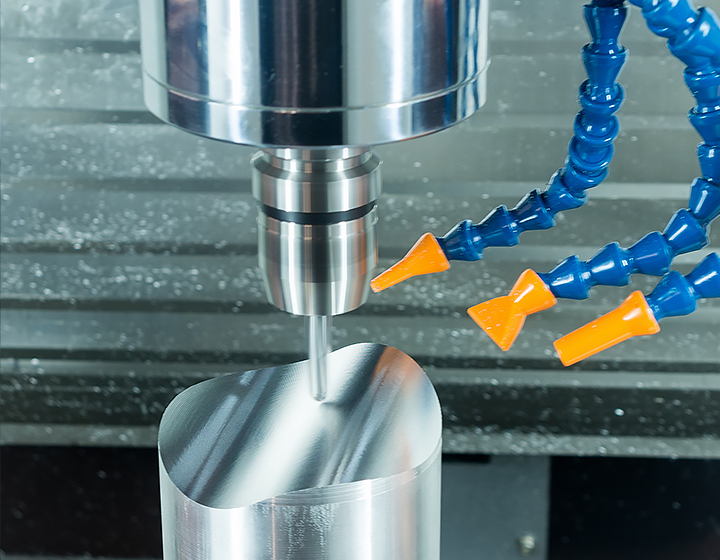
Design for Manufacturability (DFM) is the practice of designing parts so they are easy, and therefore inexpensive, to produce. A part that is difficult to machine costs more, takes longer. is more likely to have quality issues. Many expensive manufacturing problems are created on the CAD screen, not on the shop floor.
At Ginwate, our engineers review every quote submission for DFM issues and report them to the customer before machining begins. Here are the ten most common issues we find, and how to fix them.
Rule 1: Avoid Deep, Narrow Pockets, design for manufacturability CNC machining
Deep pockets require long cutting tools. Long tools deflect under cutting forces, causing poor surface finish, dimensional error, and tool breakage. The general rule is to keep pocket depth to no more than four times the pocket width.
Bad: 8 mm wide pocket, 50 mm deep (6:1 ratio)
Better: 20 mm wide pocket, 50 mm deep (2.5:1 ratio), or break the part into two pieces
Rule 2: Add Radius to Internal Corners, design for manufacturability CNC machining
Sharp internal corners cannot be machined with a rotating tool, the tool is round. Every internal corner must have a radius at least equal to the tool radius. For a 10 mm end mill, that means a minimum 5 mm corner radius.
Larger corner radii allow larger tools, which machine faster and more rigidly. If your pocket width allows it, specify a radius 30% larger than the minimum, it costs nothing and speeds the job.
Rule 3: Design Wall Thickness for Rigidity, design for manufacturability CNC machining
Thin walls vibrate during machining, producing chatter marks and poor surface finish. For aluminum, keep wall thickness above 0.8 mm; for steel, above 1.0 mm. For walls over 25 mm tall, a thickness-to-height ratio of 1:15 or better is advisable.
Rule 4: Minimize Setup Count, design for manufacturability CNC machining
Every time an operator repositions a part on the machine, time and money are spent. Design parts so that all critical features can be accessed from as few directions as possible, ideally one or two.
Features on the bottom of a part typically require a second setup. If a critical feature must be on the bottom face, consider whether it can be moved to a side face accessible in the same operation.
Rule 5: Avoid Unnecessarily Tight Tolerances, design for manufacturability CNC machining
As discussed in our tolerances guide, tight tolerances exponentially increase cost. Review every toleranced dimension and ask: what function does this tolerance serve? If you cannot answer, it probably does not need to be tight.
A drawing where every dimension has a ±0.01 mm callout, regardless of function, is a design that has not been reviewed for DFM.
Rule 6: Use Standard Drill Sizes and Thread Forms, design for manufacturability CNC machining
Specifying non-standard drill diameters forces the shop to order special tooling, adding lead time and cost. Use standard metric or imperial drill series. Similarly, use standard thread forms (M3, M4, M5... or UNC/UNF) rather than custom pitches.
Standard taps and drills are always in stock. Special sizes add 1-5 days and a tooling surcharge.
Rule 7: Avoid Text and Logos in Machined Surfaces, design for manufacturability CNC machining
Engraved text and logos require small-diameter tools, slow feed rates, and multiple passes. They add significant machining time. If identification is needed, consider laser marking (a post-process operation, not machining), which is faster and cheaper.
Rule 8: Maximize Material Removal Efficiency, design for manufacturability CNC machining
Parts that require removing 90% of the raw material billet are expensive, all that removed material becomes chips. Where possible, design in through-holes, counterbores. large pockets to reduce the volume of material that must be machined away.
Alternatively, consider whether a different manufacturing process, sheet metal, casting, or extrusion, could produce a near-net-shape blank that requires less machining.
Rule 9: Avoid Undercuts, design for manufacturability CNC machining
Undercuts are features hidden from the tool in a standard setup, grooves on the underside of a feature, T-slots, or back-drilled holes. They require special tooling (T-cutters, extended-reach tools) that is slower, more expensive, and more prone to chatter.
If an undercut is genuinely necessary, call it out explicitly on the drawing so the shop can plan for it. Many undercuts can be eliminated by splitting the part into two pieces joined with fasteners.
Rule 10: Provide Complete, Unambiguous Drawings
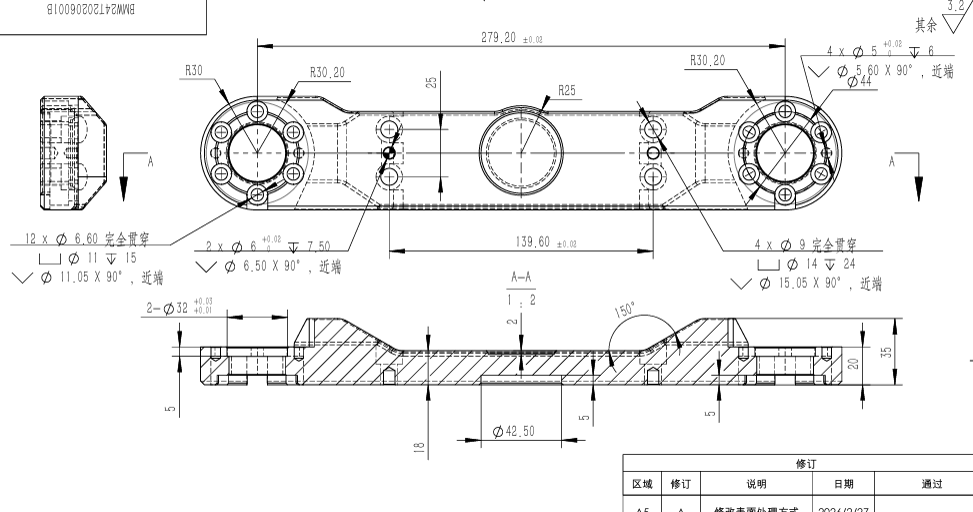
The most expensive DFM problem is ambiguity. If an engineer must interpret a drawing feature, or, worse, guess, the result may be a scrapped part and a restart. Provide:
- Title block with material, finish, and general tolerance standard
- All critical dimensions explicitly toleranced
- Surface finish callouts where required
- Thread form, depth, and tolerance for all threaded features
- A 3D STEP file alongside the 2D drawing
Free DFM Review with Every Quote
At Ginwate, every quote includes a free DFM review by one of our engineers. We flag issues that will drive up cost or quality risk and suggest specific geometry changes. Upload your part file to our quote page and you will receive a detailed DFM report within 24 hours.
Related Ginwate Resources
- Manufacturing Capabilities, 200+ machines, ±0.001mm tolerance
- Tolerances Reference
- Surface Finishes Guide
- Materials Catalog
- Get a Free DFM Quote, engineer response in 4 hours
- Case Studies
References: ISO 2768 General Tolerances and CNC on Wikipedia.
FAQs about design for manufacturability CNC machining
Is design for manufacturability CNC machining right for every project?
No. design for manufacturability CNC machining fits some jobs better than others. We help you pick the right spec for your part. Tell us your load, heat, and budget, and we will steer you to the best choice. Most clients save money by picking the right grade up front, not the most premium one.
How fast can Ginwate ship design for manufacturability CNC machining parts?
For most design for manufacturability CNC machining jobs we quote in four hours. Lead time runs five to ten days for prototypes. Production runs land in two to three weeks. Rush jobs ship in 72 hours when stock is on hand. Send your CAD file to start.
What tolerances can you hold for design for manufacturability CNC machining?
Most design for manufacturability CNC machining parts hold plus or minus 0.02 mm without trouble. Tighter tols are possible with the right fixturing and a final grind pass. We hit ISO 2768-fH on first try for the bulk of jobs. Spec the tols you need, not tighter than that.
Do you offer DFM review for design for manufacturability CNC machining?
Yes. Every quote includes a free DFM review by a senior engineer. We flag hard features, costly tols, and cheaper paths. This pays back fast, most parts get five to twenty percent cheaper after the review. No fee for this service.

Written by
Chenny
Senior CNC engineer at Ginwate · 20+ years aerospace & medical machining